

Hourli
A brand new time tracker app for consultants, freelancers and small businesses, made natively for iOS.

About Hourli
Stay focused, track your time, stay in control
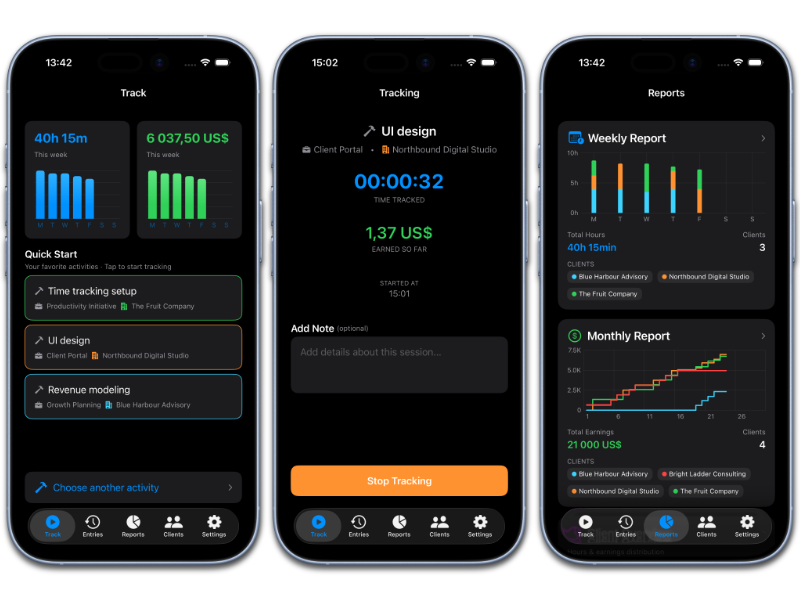
Hourli helps consultants, freelancers, and small business owners track their time with clarity and confidence. It’s built for people who bill for their work and want a clear, reliable overview—without friction, clutter, or guesswork when it’s time to invoice.
Unlike complex time systems built for teams and enterprises, Hourli is designed for individual professionals. Start tracking in seconds, organize your work around real clients and projects, and always know exactly where your time—and money—goes. It’s time tracking that works quietly in the background, so you can focus on the work that matters.
Why you will love Hourli
Capture every billable hour – track your work as it happens, so nothing slips through the cracks
See where your time goes – understand how your hours are distributed across clients and projects
Invoice with confidence – get a clear overview of hours and earnings without detective work
Work your way – track time with timers or manual entries, adjusted to how you actually work
Stay consistent – gentle reminders help you build a reliable tracking habit
Built for professionals – a clean, focused experience designed specifically for iOS
Your data stays yours
Everything you track is stored safely on your device and synced through your personal iCloud account.
No external servers, no third parties, no account registration—just your data, stored using technologies you already use and trust.
Free trial available
Hourli offers a free trial so you can experience the full app before committing. After the trial, a subscription is required to access advanced reports or add unlimited clients, projects and type of work (activities).
You’ll always be able to view your tracked time and weekly reports—even if you decide not to continue — so your data remains accessible and under your control.

Built for real client work
Hourli is designed for
consultants,
freelancers and
small businesses
who charge for their time
Why use Hourli?
No guessing at invoice time
Clear breakdowns per client and project
Transparent data you can share with confidence
Designed for professionals who value accuracy, transparency and control.
How is Hourli different?
The difference is in the data
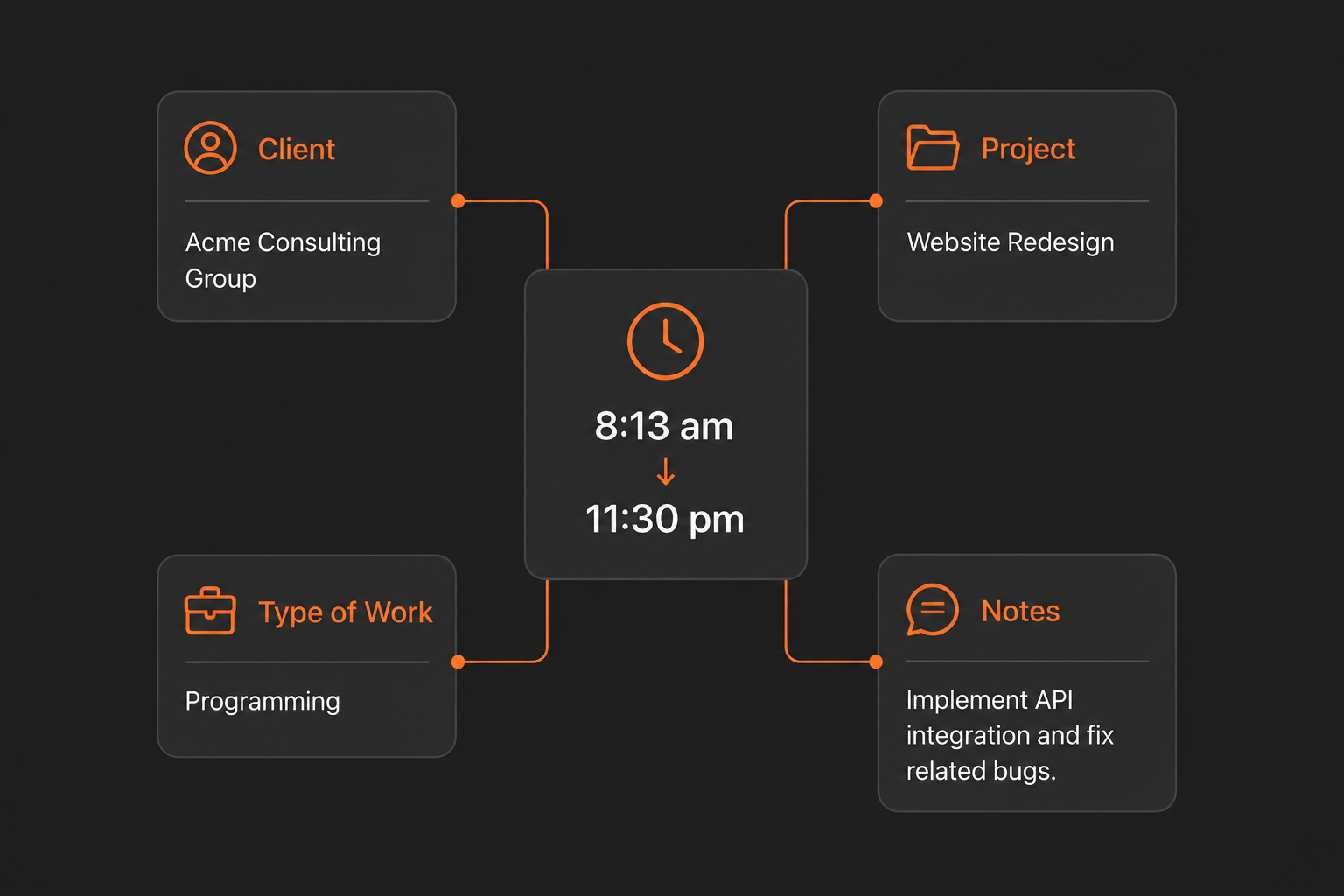
Many hours tracker apps just let you add a client, or employer and then you start tracking time. If you later need to know what you did, you rely on your comments, and in worst case, and often, you have to go through your entries and calculate it yourself. It’s very fast to get started, but It adds time each time you track if you want to know what you did a couple of weeks later.
Hourli works differently, when you add a client you also add a project. Within that project, you add activities (the type of work you do), and when you track time each entry is tied to an activity. This adds less than a minute of work when you set up the client, but it saves hours of writing comments or trying to remember what kind of work you performed in the months or years to come. It also creates meaningful data to generate reports and provide insights on the fly, without you needing to add comments to each entry.
Learn more…
App Store is a trademark of Apple Inc., registered in the U.S. and other countries and regions.
iPhone and iPad are trademarks of Apple Inc., registered in the U.S. and other countries and regions.